
User Profile Menu
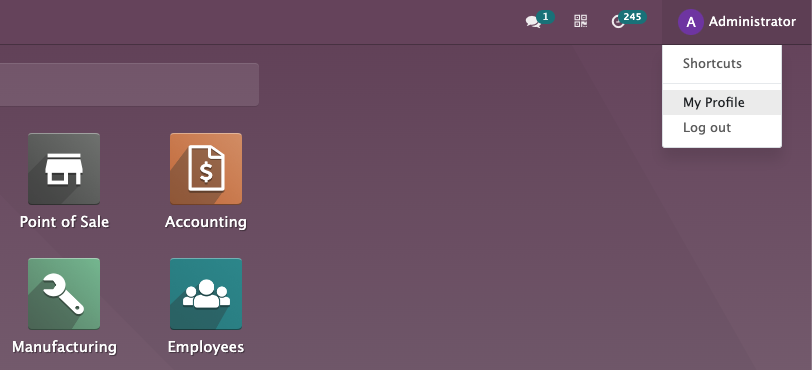
Pentru a accesa meniul Profil utilizator, faceți clic pe numele utilizatorului și, în meniul derulant de mai jos, faceți clic pe elementul „Profilul meu”: test
Formularul utilizatorului se va deschide și pot fi modificate mai multe câmpuri:
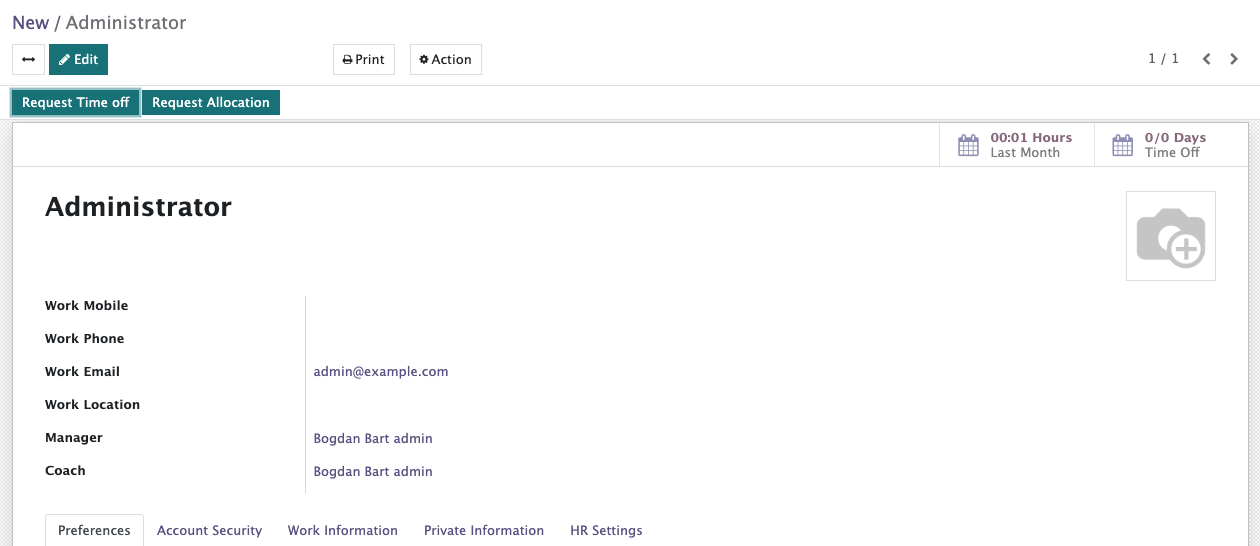
PREFERENCES TAB
By default, the Preferences tab will open as soon as we click “My Profile”, let’s check the most useful fields:
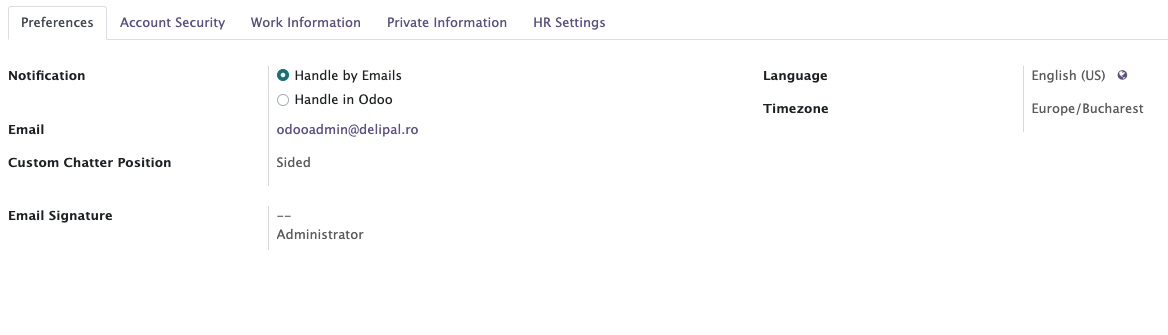
Notification field - configure which way to receive the notifications (recommended: "by Emails").
Email field - Configure the email for corresponding and notifications.
To change Language - click the globe icon next to the Language option, then search for the preferred language.
Timezone field - choose according to the current location or work schedule.
Email signature field - allows users to create and customize a signature block automatically appended to the bottom of outgoing emails sent through the system.
ACCOUNT SECURITY TAB
In case we forget the password to access the system, we can change it here.
Click on “Change Password” — this will trigger an email sent to the user’s email address with instructions for resetting the password.
